JSON vs XML in 2026 — Which Should You Use?
You've got data to send. You need to pick a format. One of these is almost certainly the right answer — and it's probably not the one most "JSON vs XML" articles will help you figure out, because most of them were written in 2021 and haven't been touched since.
Here's the actual answer, with real examples.
TL;DR — Pick Your Use Case
| Use case | Winner | Why |
|---|---|---|
| REST APIs | JSON | Smaller payload, every modern framework expects it |
| RSS / Atom feeds | XML | The format is XML. You don't get to choose. |
| SOAP / enterprise integrations | XML | Legacy systems require it |
| Config files (package.json, tsconfig) | JSON | Native tooling, human-readable, widely supported |
| Office file formats (DOCX, XLSX, PPTX) | XML | These are ZIP archives containing XML under the hood |
| Browser storage / localStorage | JSON | JSON.stringify() and JSON.parse() are built in |
| New app, greenfield project | JSON | No contest |
If you're still not sure after the table, keep reading.
What is JSON?
JSON — JavaScript Object Notation — is a lightweight text format for structured data. It came out of JavaScript but it runs everywhere. Python, Go, Ruby, PHP, Rust — every major language has native JSON support built in. You're not pulling in a dependency, it's just there.
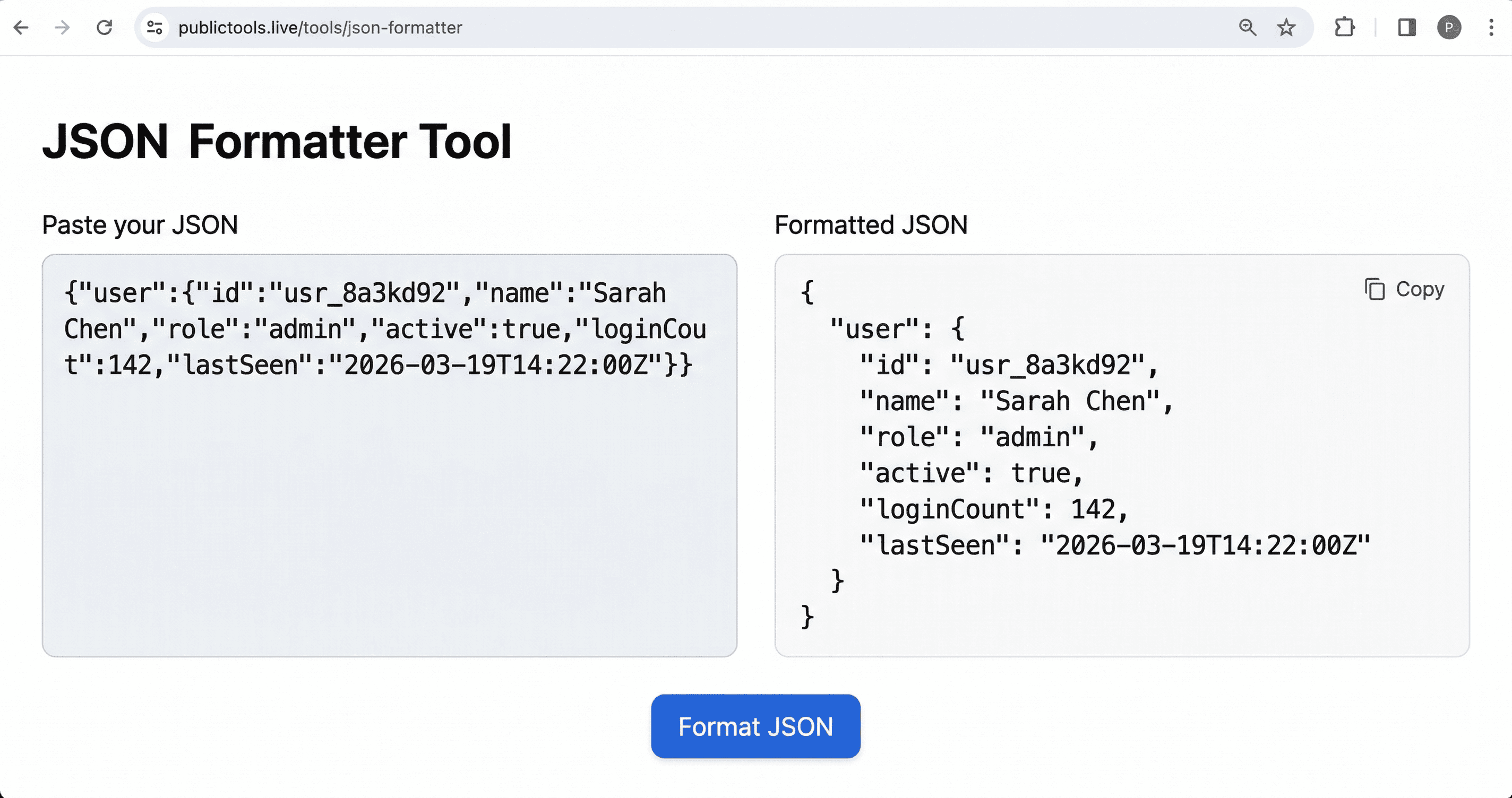
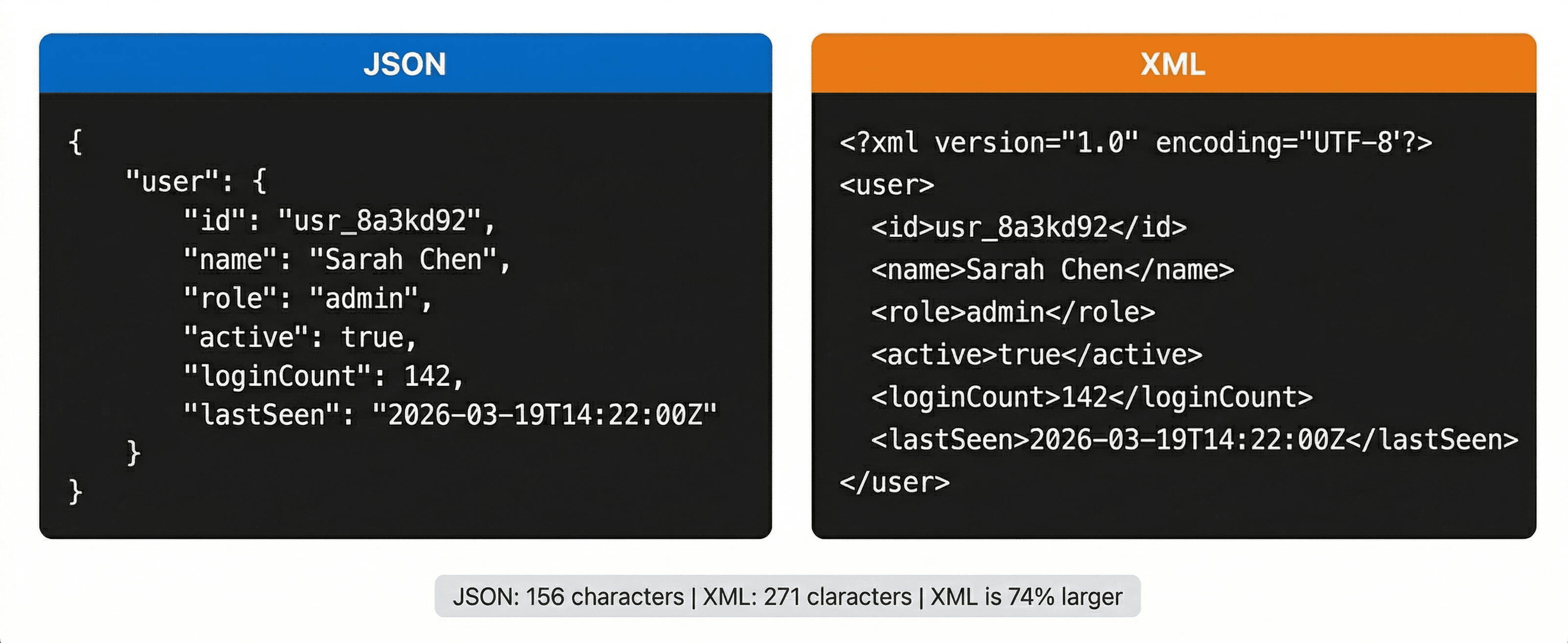
Here's what a real JSON payload looks like — a user object from an authentication API response:
{
  "user": {
    "id": "usr_8a3kd92",
    "name": "Sarah Chen",
    "role": "admin",
    "active": true,
    "loginCount": 142,
    "lastSeen": "2026-03-19T14:22:00Z"
  }
}
Clean, readable, exactly what you'd expect. The active field is a real boolean. loginCount is a real integer. Types are preserved — which matters more than it sounds.
What is XML?
XML — eXtensible Markup Language — is a tag-based format designed to be both human-readable and machine-readable. It predates JSON by about a decade. For most of the 2000s, if you were exchanging data between systems, you were using XML.
Same user object in XML:
<?xml version="1.0" encoding="UTF-8"?>
<user>
  <id>usr_8a3kd92</id>
  <name>Sarah Chen</name>
  <role>admin</role>
  <active>true</active>
  <loginCount>142</loginCount>
  <lastSeen>2026-03-19T14:22:00Z</lastSeen>
</user>
More characters. Same data. And notice — active and loginCount are strings here. XML doesn't have native types. Everything between tags is text unless you layer a schema on top of it.
That verbosity isn't purely a flaw — XML's structure has genuine advantages in specific contexts. But for most modern work, it's overhead you don't need.
Key Differences
| JSON | XML | |
|---|---|---|
| Syntax | Key-value pairs, arrays | Nested open/close tags |
| File size | Smaller (typically 30–40% less) | Larger |
| Native data types | String, number, boolean, array, null, object | Everything is a string |
| Comments | Not supported | Supported (<!-- like this -->) |
| Attributes on elements | No concept | Yes — <user role="admin"> |
| Namespaces | No | Yes — critical for complex enterprise schemas |
| Schema validation | JSON Schema (optional, modern) | XSD (mature, strict, widely used) |
| Parsing speed | Faster | Slower |
| Browser support | Native | Native (via DOM parser) |
| Human readability | High | Medium — gets noisy at scale |
The data types difference is the one that bites people. In JSON, "active": true is a boolean — your code treats it as one automatically. In XML, <active>true</active> is the string "true". You have to cast it yourself. For a single field that's trivial. Across a 40-field document from a legacy system, it's a chore.
When to Use JSON
Use JSON for anything you're building today. That's the default. The only question is whether something forces you away from it — and usually, nothing does.
REST APIs return JSON. npm packages are configured with package.json. TypeScript projects use tsconfig.json. Next.js uses next.config.js with JSON-shaped objects. The whole modern web stack assumes JSON. Going against that assumption creates friction for no gain.
Browser storage is the other obvious case. localStorage.setItem('prefs', JSON.stringify(userPrefs)) and JSON.parse(localStorage.getItem('prefs')) — two lines, no libraries, built into every browser since 2009. There's no XML equivalent that's anywhere near that ergonomic.
Speed is a real factor at scale too. A JSON parser processes roughly 200–400MB/s on modern hardware. XML parsers typically run 2–5x slower for equivalent payloads. For a startup with 500 API calls a day, that's irrelevant. For a service handling 50 million requests a day, it's a meaningful infrastructure cost.
When to Use XML
Use XML when the context requires it — which happens more than developers like to admit.
RSS and Atom feeds are XML, full stop. If you're building a blog, podcast feed, or news aggregator, you're writing XML. There's no JSON alternative that has the same ecosystem support.
SOAP APIs are still everywhere in 2026. Banking systems, healthcare integrations, government portals, old Salesforce connectors — a huge amount of enterprise software runs on SOAP/WSDL, which is XML-based. You don't get to negotiate the format. You learn XML or you don't get the integration.
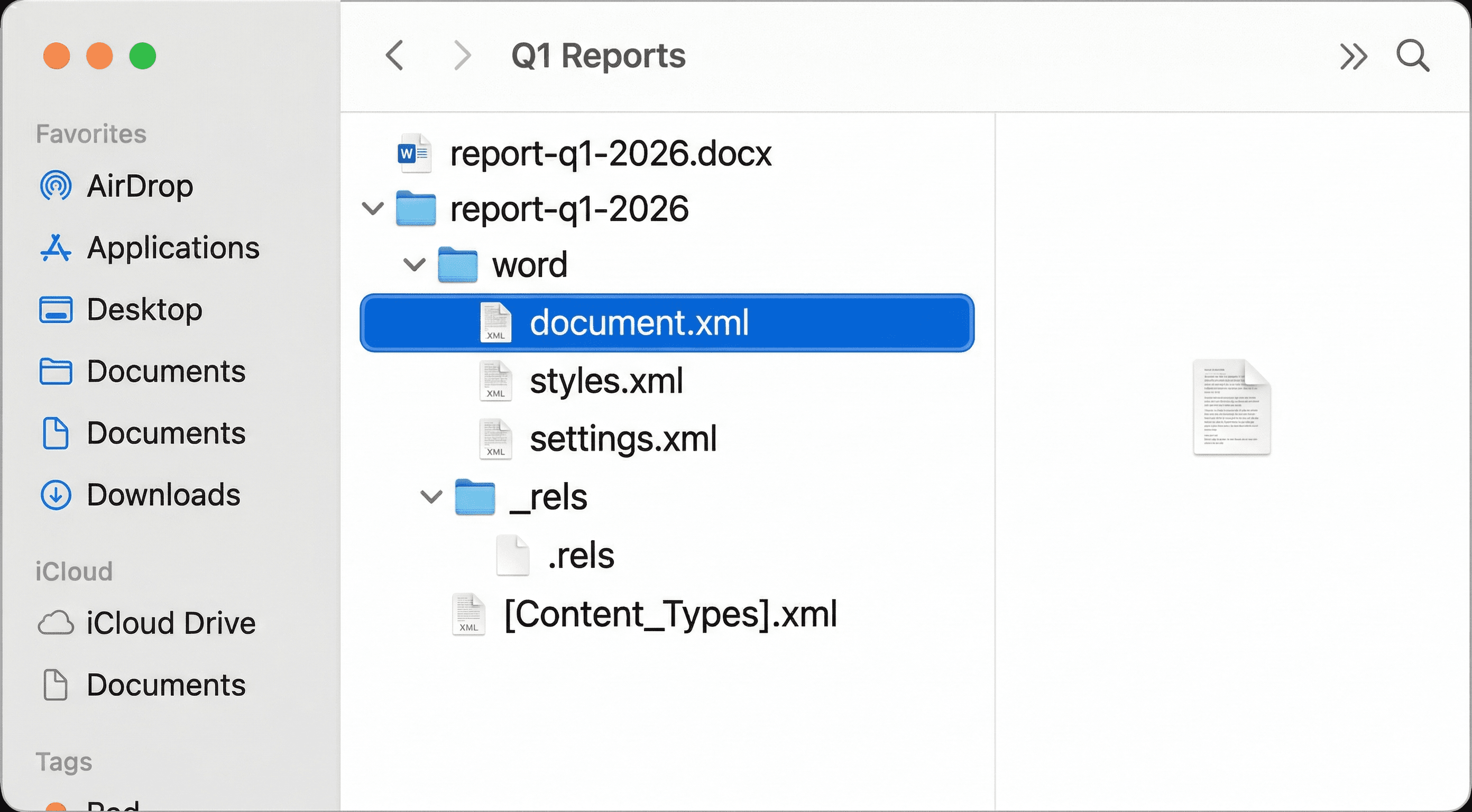
Microsoft Office formats are XML under the hood. A .docx file is a ZIP archive. Unzip it and you'll find word/document.xml. Same for .xlsx and .pptx. If you're building anything that generates or parses Office documents programmatically — invoices, reports, data exports — you're working with XML whether you know it or not.
SVG is XML. Every SVG file is a valid XML document. If you're manipulating SVGs programmatically, you're using XML tooling.
XML also has one structural advantage JSON genuinely lacks: namespaces. When you're merging data from multiple schemas in a complex enterprise document, namespaces prevent element name collisions in a way JSON has no answer to. It's niche — but in the contexts where it matters, it really matters.
Common Mistakes to Avoid
Assuming XML is dead. It's not. Developers who've spent their whole career on modern web stacks sometimes hit a legacy enterprise integration and have no idea what to do with a WSDL file. Know enough XML to survive — it'll come up.
Parsing XML with regex. This one comes up in Stack Overflow answers from 2009 that still get linked in 2026. Don't do it. Use a proper XML parser. Python has xml.etree.ElementTree in the standard library. Node has fast-xml-parser. There's no excuse for regex on structured markup.
Storing XML in a JSON field as a string. This happens in legacy migration projects. You end up with {"data": "<user><name>Sarah</name></user>"} — a string that has to be parsed twice. If you're migrating data, convert it properly or keep it in the original format. Don't nest one inside the other.
Choosing XML for a new project because "it's more structured." JSON with a JSON Schema is just as structured, faster to work with, and what everyone on your team already knows. The "XML is more formal" argument made sense in 2004. It doesn't hold in 2026.
Forgetting that whitespace matters in XML. In JSON, whitespace between tokens is ignored. In XML, whitespace inside element content is significant — <name> Sarah </name> is different from <name>Sarah</name>. This trips up people who write XML like they'd write JSON.
Free Tool
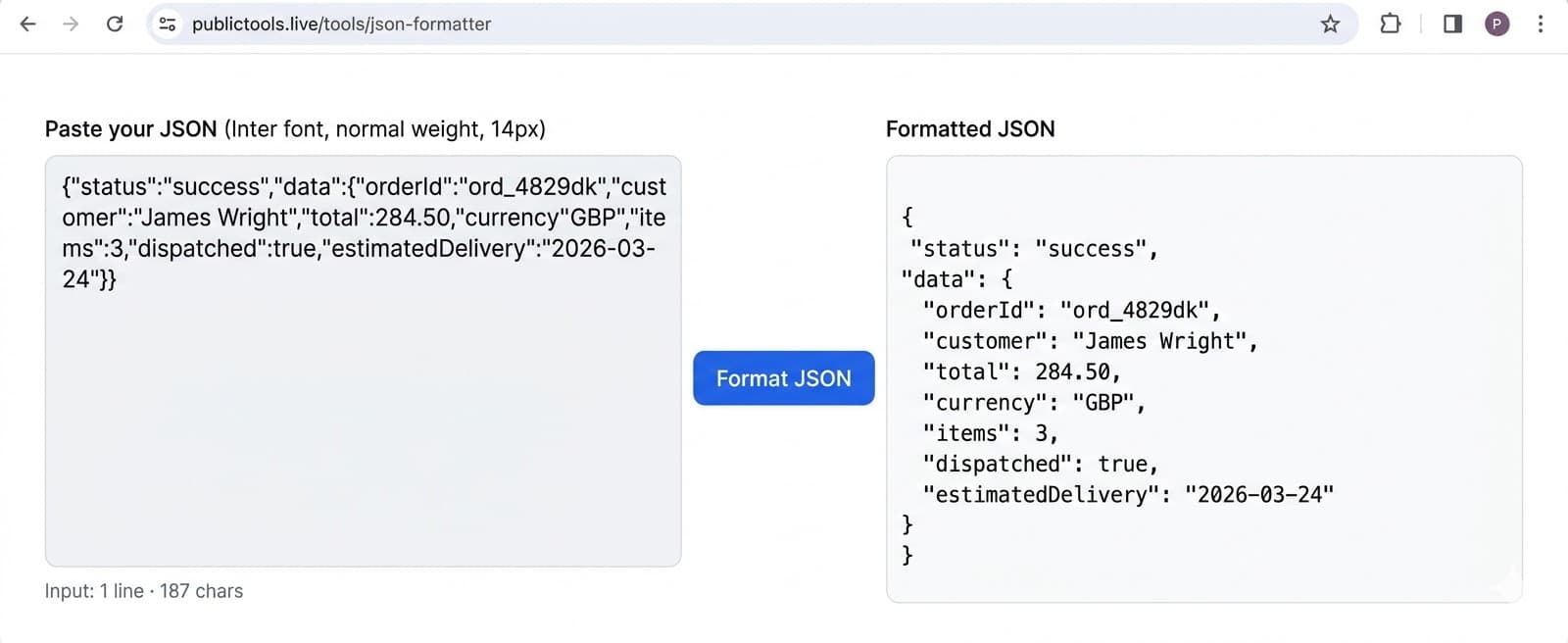
Free JSON Formatter & Validator Online
Format, minify and validate JSON instantly.
Verdict
Use JSON. For any new project, any modern API, any config file — JSON is the default and it's the right call.
XML is not obsolete. It's the correct format for RSS feeds, SOAP integrations, Office file formats, SVG, and any legacy system that requires it. If your work touches those, you need to know XML. But you don't reach for it on a greenfield project.
The only real mistake is being dogmatic in either direction. Some developers treat XML like a legacy embarrassment and then panic when they hit a SOAP endpoint or need to parse an XLSX export. Know both formats. Default to JSON. Pull out XML when the situation calls for it — and you'll recognise when it does.
Frequently Asked Questions
Working with JSON day-to-day? The JSON Formatter on PublicTools validates and prettifies any JSON string in one click — useful when you're staring at a minified API response at 11pm trying to find the missing comma. If you're building developer tools or tracking links, the UTM Builder is worth bookmarking too.